
![Vehicle Autopilot V2 [Standalone]](https://fivem-store.com/wp-content/uploads/Vehicle-Autopilot-V2-800x449.png "Vehicle Autopilot V2 [Standalone]")
![Player Vehicle Market System V6 [Sell Vehicles][Selling Used Vehicles][ESX/QB]](https://fivem-store.com/wp-content/uploads/Player-Vehicle-Market-System-V6-300x225.png)
![Crafting System V15 [Craft Table][Level][ESX/QB]](https://fivem-store.com/wp-content/uploads/Crafting-System-V15-300x225.png)
![VIP Vehicle Pack V3 [Optimized][Real Car Pack]](https://fivem-store.com/wp-content/uploads/vip-vehicle-pack-v3-optimizedreal-car-pack-300x225.png)
![Shops System V20 [ESX]](https://fivem-store.com/wp-content/uploads/shops-system-v20-esx-300x225.png)


100% Original Open Source
Features
• It is a standalone script and is compatible with all frameworks. (Notification and export settings should be configured in the config file.)
• You have the ability to specify which vehicles can utilize the autopilot feature from the config file.
• Upon entering a vehicle with autopilot enabled, a user interface will prompt you to assign a name to your autopilot.
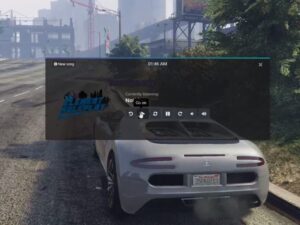
• There are three distinct speed options: eco, sport, and sport+.
• In the LiveMap, you can mark your desired destination by double-clicking. You can then navigate to the marked location by clicking on it or by assigning it a name and saving it.
• The LiveMap includes predefined fixed locations, which can be duplicated or modified via the config file.
• The park button activates the parking pilot of the vehicle. This allows you to select your parking spot using a hologram of the vehicle, displayed in a 1:1 scale. You can confirm your choice by pressing the E key.
• In case of emergencies, the emergency button automatically directs you to a predefined location, typically set to the hospital.•
• The dance button controls the opening and closing of the vehicle’s doors.
• Parking is not possible while the autopilot feature is active.
• The vehicle is equipped with sensors on the front, left, and right sides to detect nearby vehicles. This information is displayed under the instant speed indicator.
• The speed limits of the streets are displayed on the speedometer and can be edited from the config file.
• From the autopilot preferences menu, you can select the driving mode and customize the rules it follows or disregards.
• Autopilot can function even when you are not in the driver’s seat, provided that the seat is empty or you are seated in it.
• The default key for activating the mouse is K, but this can be modified from the config file.
• To deactivate the autopilot, the default key is U, which can also be customized from the config file.
• Exiting park mode is achieved by default with the H key, but this can be adjusted in the config file as well.
Requirements
• None
![Voucher System V4 [Redeem Code][Promo Code][ESX/QB]](https://fivem-store.com/wp-content/uploads/voucher-system-v4-redeem-codepromo-codeesx-qb-300x225.png)
![QBCore Roleplay Server V54 [Unique Miami Style][New VIP Features]](https://fivem-store.com/wp-content/uploads/qbcore-roleplay-server-v54-unique-miami-stylenew-vip-features-300x225.png)




Reviews
There are no reviews yet.